TetraKits
Split PDF
Split a PDF into separate files by page range or extract every page individually — all in your browser. Upload once, define ranges or split all, and download the resulting PDFs without server upload.
Read: How to Split PDF Pages Online (Extract & Separate PDFs Free) →
- No Signup
- Free to Use
- Privacy Friendly
Why Use Our Split PDF Tool?
-

Free Forever
Split unlimited PDFs with no subscriptions or hidden fees.
-

100% Private
Splitting runs in your browser. Your documents never leave your device.
-

Mobile and Desktop
Upload from any device with drag-and-drop or file browse.
-

Flexible Modes
Remove pages visually, split into chunks, or save every page separately.
How to Split a PDF
-
1
Upload your PDF
Drop a file or tap to select the PDF you want to split.
-
 2
2
Remove pages
Click × on any page thumbnail to remove it. Click a removed page to restore it.
-
 3
3
Download results
Get a single PDF or a ZIP with all split files instantly.
Frequently Asked Questions
Is splitting PDFs free?
Yes. TetraKits Split PDF is completely free with no signup or usage limits.
Are my files uploaded to a server?
No. Splitting happens entirely in your browser. Files never leave your device.
Can I extract specific pages?
Yes. Enter a start and end page number to extract a range, or split all pages into separate files.
How do I split into equal parts?
Calculate page ranges manually — e.g. pages 1–10, 11–20 for a 20-page document split in half.
Can I merge the results back?
Yes. Use merge PDF to recombine split files in any order.
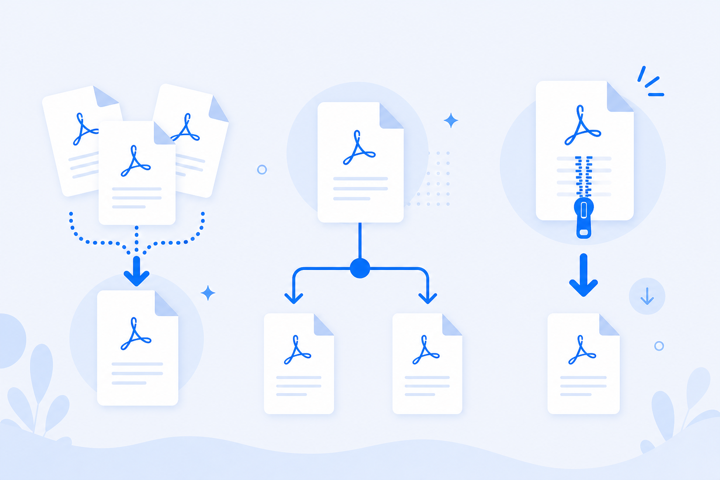
Extract PDF Pages Without Acrobat
Emailing one chapter from a manual, submitting a single signed page, or archiving pages separately should not require expensive PDF software. Browser split by range or per-page handles extraction privately.
Everything runs locally in your browser for complete privacy, and the tool works on phones, tablets, and desktop computers.